About Property Bookmarks
Property Bookmarks UK offers free private workspaces for saving, viewing and organising property information from the sources you already use.
Property searches can quickly become hard to manage. Listings arrive from portals, estate agents, auction sites, developers, property websites, email alerts, messages and shared links. Some properties need reviewing, some belong in active groups, some should be kept for reference, and some may become relevant again if the price, status or circumstances change.
Property Bookmarks helps you keep that activity together in one place.
It is designed to help you organise your own property search — not to replace portals, estate agents or property websites.
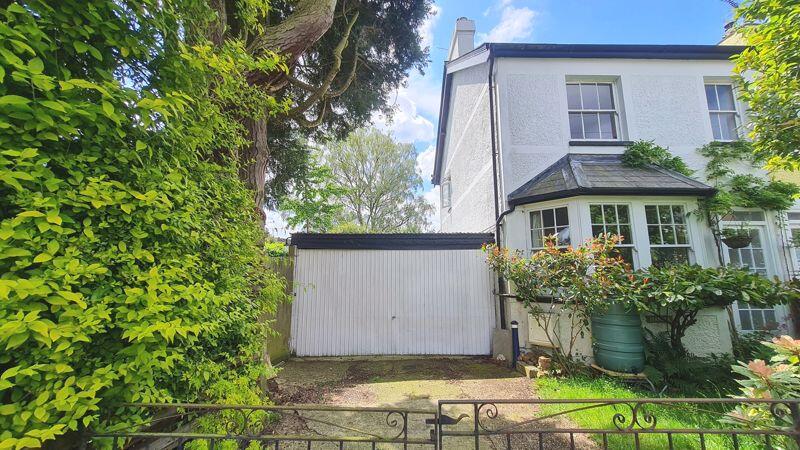

Above is an example of how properties are listed.
Property Search Workspace
Property Bookmarks is built around the idea that the original property source remains important.
When a property is saved, shared or received through Property Bookmarks Mail, the aim is to help you recognise it, organise it and return to the original listing, agent, portal or website.
Property Bookmarks does not try to become a replacement property portal.
It gives you a clearer personal workspace around the property information you have already received, saved or chosen to organise.
Intelligent Property Mail
When you create an account, the username you choose becomes your Property Bookmarks email address: username@propertybookmarks.com
You can also use the shorter version: username@pb0.net
You can use your Property Bookmarks Mail address when signing up for property alerts from portals, estate agents and property websites.
Those property messages arrive in your private Property Bookmarks Mail inbox, where they are read, saved, organised and linked back to the original property listings.
PLEASE NOTE: Property Bookmarks Mail is designed for property-search messages only.
It is not a general personal, business or secure email service.
Emails sent to your Property Bookmarks Mail address can only be read inside Property Bookmarks.
Organise and Share
Property Bookmarks is being developed to help organise the practical life of a property search: not just the properties themselves, but the communication and activity around them.
A property search is rarely just one simple list.
You may want to group properties by area, price range, family member, buyer, client, viewing trip, auction, investment idea or stage of interest.
Every property starts in your Inbox, ready to be reviewed. You can move it into a Group, archive it for reference, hide it from your normal view, and use Tags to organise it into Albums, searches, projects or client lists.
Finding a property is not only about saving listings.
There are viewings to arrange, agents to contact, questions to ask, follow-ups to remember and decisions to record.
Albums can also be shared with other people, so family, friends, colleagues, clients or professional contacts can review a clear collection instead of receiving scattered links one by one
Buyers and Renters
For individuals and families, Property Bookmarks helps turn a busy property search into something more manageable.
You can collect listings from different places, keep notes, compare possibilities, share selected albums and keep track of properties that may be worth revisiting later.
It is especially useful when more than one person is involved in the decision.
Estate Agents
Property Bookmarks is also being developed for estate agents and other property professionals.
Agents, search consultants, relocation advisers, developers, auction specialists and other professionals often need to collect, organise, compare and share groups of properties or property-related communications. Property Bookmarks provide a structured way to manage that activity, especially where properties need to be grouped, reviewed, shared or followed up over time.
Property Auctions
Auction properties often need particular attention.
They may have short deadlines, changing status, legal packs, viewing arrangements, guide prices, reserve prices and groups of interested people who need to review the same opportunities quickly.
Property Bookmarks is being designed with the potential to support auction-focused features, helping auction properties be collected, grouped, shared and tracked more clearly.
Respecting Sources
Property Bookmarks is intended to work alongside existing property sources, not against them.
The service is designed to help users manage the property information they receive, save and organise for their own search or work.
Where property information comes from an external listing, portal, agent or website, Property Bookmarks aims to keep that source visible and accessible.
If a property source, portal, agent or website owner has a question, concern or correction, they are welcome to get in touch through the Contact page.
Independent Development
Property Bookmarks is independently developed by Ah Ha Software Limited.
It has grown out of many years of work on property, estate agent and website-monitoring systems, including technology for collecting, checking and organising links, screenshots and property-related information.
The service is new, but it is built on long experience of working with property websites, estate agent directories, saved links, alerts and the problems that arise when useful property information is spread across too many places.
Part of the Property Bookmarks Family
Property Bookmarks is a sister site to Selling Points.
Selling Points is focused on discovering the advantages and searchable details within property descriptions.
Selling Points and Property Bookmarks share the same membership system, so a single account can be used across both sites.
The Aim
To give property searchers and property professionals a reliable personal workspace for collecting, organising, comparing, sharing and keeping track of property information.
It does not try to replace portals, agents or property websites.
It helps users manage the property search around them.
It is a practical tool for the part of the property search that usually becomes messy: after the alerts start arriving, before decisions are made, and while properties, viewings, notes and conversations are still being compared.
Try It Now — create a free account